Surveys
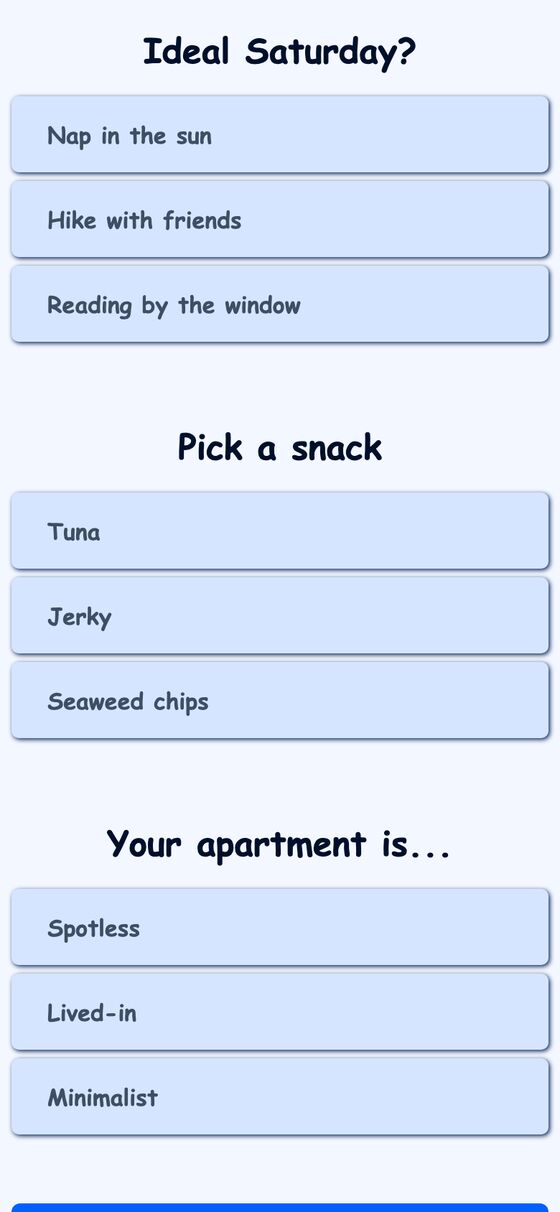
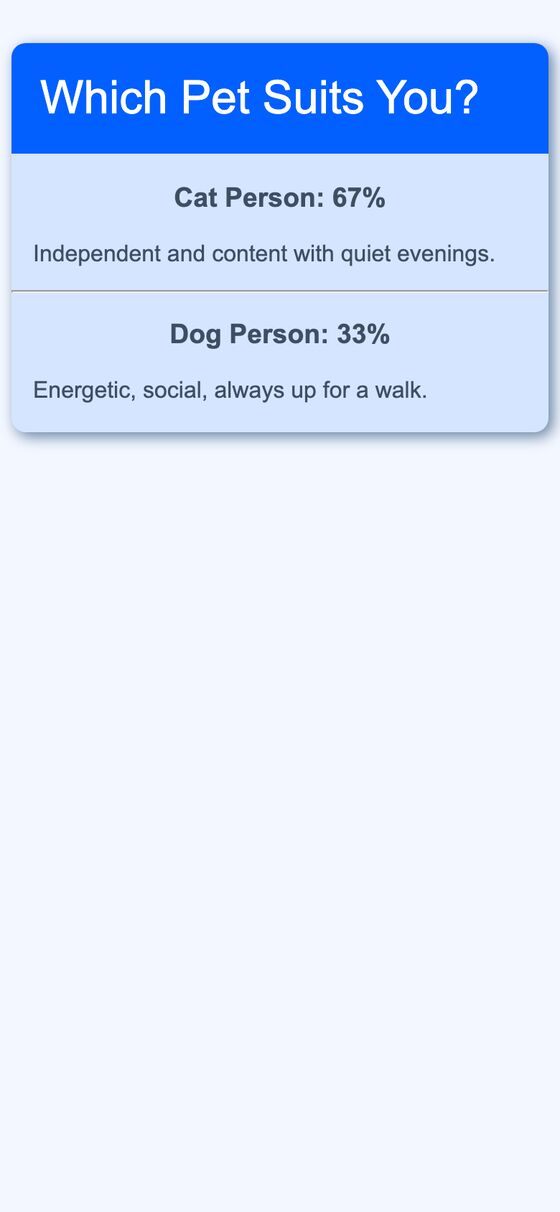
This tool is a personality-quiz style survey engine. It lets a person choose a survey, answer multiple-choice questions, and view a results page with category scores.
It solves the problem of collecting answers and turning them into a clear category-based result. The result can be shown as either percentage breakdowns or point totals, depending on the survey’s scoring method.
What it solves
It solves the problem of collecting answers and turning them into a clear category-based result. The result can be shown as either percentage breakdowns or point totals, depending on the survey’s scoring method.
It also provides a survey index for browsing available surveys and a shareable results link for completed responses.
Features
- Survey index A list of surveys includes a live filter box and question counts for each survey.
- Question cards Each survey question is shown as a card with radio-button answers.
- Answer order control Answer order can be randomized for a survey.
- Shareable results Submitting a survey creates a response session and redirects to a short results URL.
- Category ranking Results are listed best-first across all categories.
- Two score styles Results can display as percentage breakdowns or point totals.
- Category descriptions Each result category includes its description text on the results page.
- Preview text The top result is used to build the page meta description for link previews.
- Plain-text import Surveys can be authored as an indentation-based outline and imported from text.
- JSON import The same survey structure can also be imported from JSON.
How to use it
- Open the survey index and choose a survey.
- Read each question and select one radio-button answer per question.
- Submit the survey when all questions are answered.
- Open the results page that is returned after submission.
- Review the category ranking, score values, and descriptions.
- Share the results URL if needed.
How it works
- Surveys use a normalized model with surveys, questions, answers, results, and a join table for answer-to-result weights.
- Scoring is controlled by an enum with aggregate and accumulate modes.
- Results are computed with grouped SQL joins.
- Survey answers can be loaded from an indentation-based text format or from JSON.
- Result links use short random tokens, and surveys use automatically generated unique slugs.