MTG Glossary
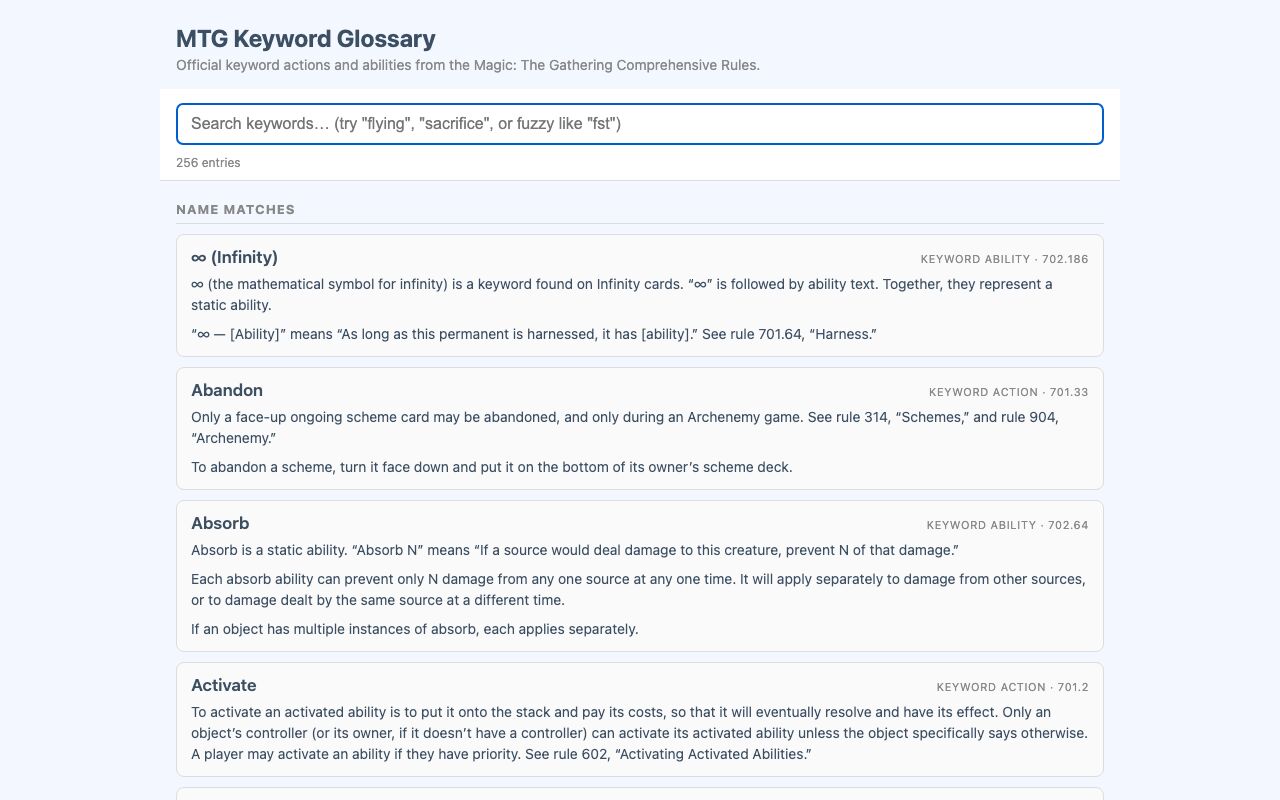
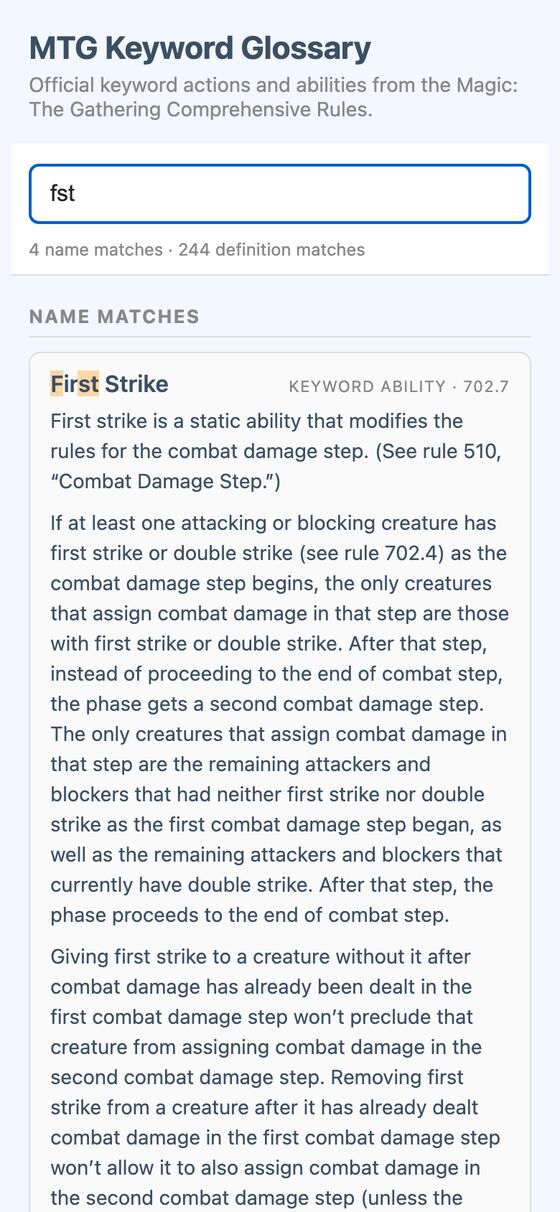
MTG Glossary is a searchable reference for the keyword actions and keyword abilities in the Magic: The Gathering Comprehensive Rules. It shows matching rules text as you type and highlights the matched letters.
It helps answer rules questions by finding the right keyword quickly, even from a partial word or loose abbreviation. Results appear immediately, so the glossary can be used during play without waiting for page reloads.
What it solves
It helps answer rules questions by finding the right keyword quickly, even from a partial word or loose abbreviation. Results appear immediately, so the glossary can be used during play without waiting for page reloads.
It also separates matches by name and by rules text, making it easier to find either the exact term or related definitions that mention the search query.
Features
- Full glossary Includes every rule under sections 701 and 702 with its full rules text.
- Instant search Updates results as you type without page reloads or server round trips.
- Two match groups Shows name matches first, then definition matches.
- Exact and fuzzy matching Ranks exact substring matches above fuzzy matches, and fuzzy matching supports loose abbreviations.
- Highlighted results Marks exact hits in yellow and fuzzy in-order hits in orange.
- Rule labels Displays the category and rule number for each entry.
- Live counts Shows the number of name matches and definition matches.
- Empty state Displays a message when nothing matches.
- Sticky search bar Keeps the search field visible while scrolling.
- Mobile and dark mode Uses a layout that works on mobile and supports dark mode.
How to use it
- Open MTG Glossary.
- Type a word, a partial word, or a loose abbreviation in the search field.
- Review the name matches shown first.
- Check the definition matches below for rules text that mentions the query.
- Use the highlighted letters to confirm the best match.
How it works
- The page embeds the glossary data inline as JSON, so search happens entirely in the browser.
- The data set is built from the official Comprehensive Rules text file and parsed into keyword action and keyword ability entries.
- The search engine ranks exact substring matches by position and fuzzy subsequence matches by gaps and first index.
- Results are sorted by match kind and score, and the matched text is highlighted after HTML escaping.
- The interface uses vanilla JavaScript and CSS custom properties for light and dark mode support.