Lorcana Glossary
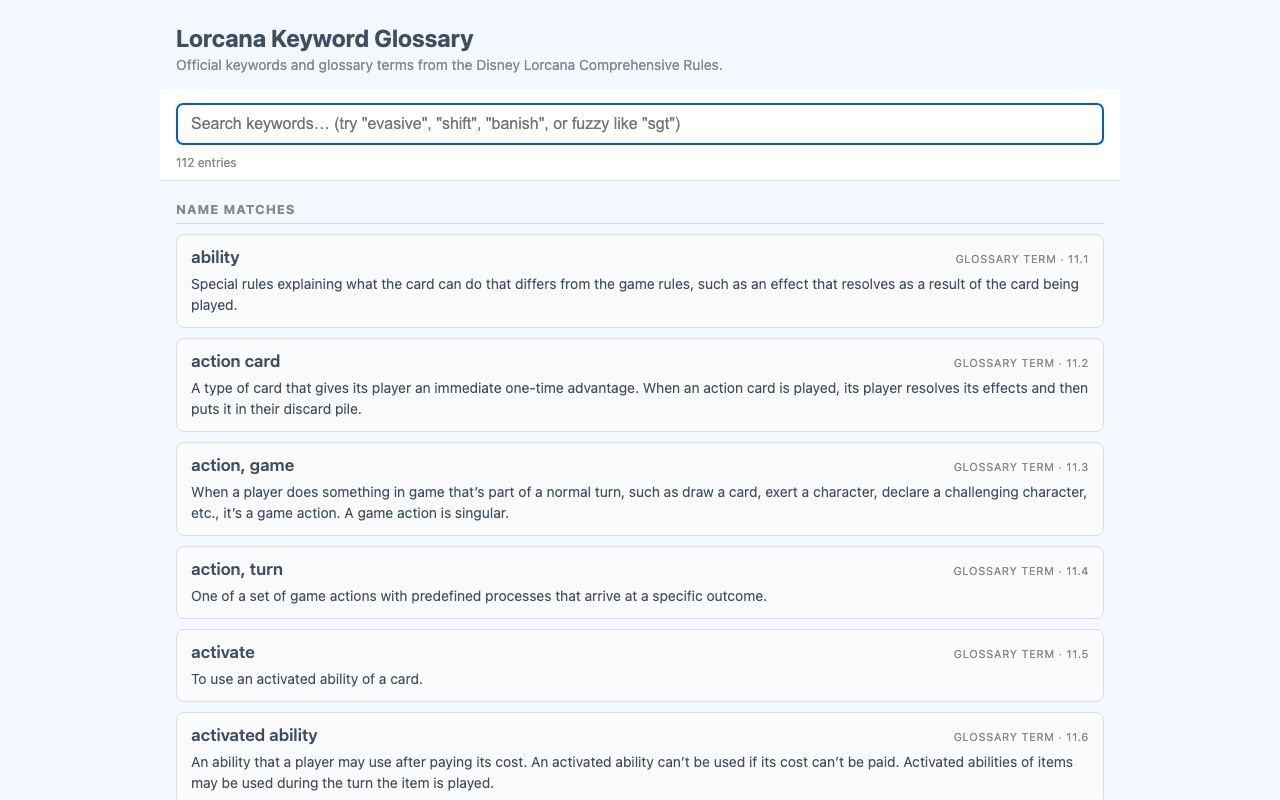
Lorcana Glossary is a searchable glossary of Disney Lorcana keywords and rules terms. It is built from the official Disney Lorcana Comprehensive Rules and supports instant typo-tolerant lookup.
It helps players find the meaning of a keyword or rules term during play without scanning the full rules document. Search updates as you type, so a term can be found by an exact match or by approximate character matches.
What it solves
It helps players find the meaning of a keyword or rules term during play without scanning the full rules document. Search updates as you type, so a term can be found by an exact match or by approximate character matches.
The glossary includes both keyword entries and glossary terms, with rule numbers for each entry. Name matches are shown above definition matches so the most relevant results appear first.
Features
- 112 entries Includes the keywords from section 8 of the rules and the terms in the Glossary section.
- Rule labels Each entry is tagged as Keyword or Glossary Term and includes its rule number.
- Instant search Results update as text is entered in the search field.
- Ranked matches Exact substring matches appear first, followed by definition matches.
- Highlighted results Exact matches are highlighted in yellow and fuzzy in-order matches are highlighted in orange.
- Typo tolerance The search accepts approximate letter order, so partial or misspelled terms can still match.
- Sticky search bar The search field stays available while browsing the list.
- Mobile layout The page is formatted for smaller screens.
- Dark mode The glossary supports a dark display theme.
- Client-side search Search, ranking, and highlighting run in the browser.
How to use it
- Open the Lorcana Glossary page.
- Type a keyword or rules term into the search bar.
- Review the results, starting with name matches.
- If needed, refine the search with more letters or a different spelling.
- Use the highlighted matches to identify the relevant entry.
- Read the rule number and definition for the selected term.
How it works
- The page reuses a shared glossary search template and passes in the title, subtitle, placeholder text, and data file.
- The glossary data is embedded inline as JSON when the page renders.
- Search, ranking, and highlighting are handled in vanilla JavaScript with HTML escaping.
- The glossary data is generated from the official rules PDF by a task that converts the PDF to text and parses two structures: keywords and glossary terms.
- The keyword parser uses section markers and rule headings, while the glossary parser uses heuristics to detect term boundaries and filters out page footers and page numbers.