🔒 You must have an account to use this tool
· Sign in · Create an account
J.I.L.
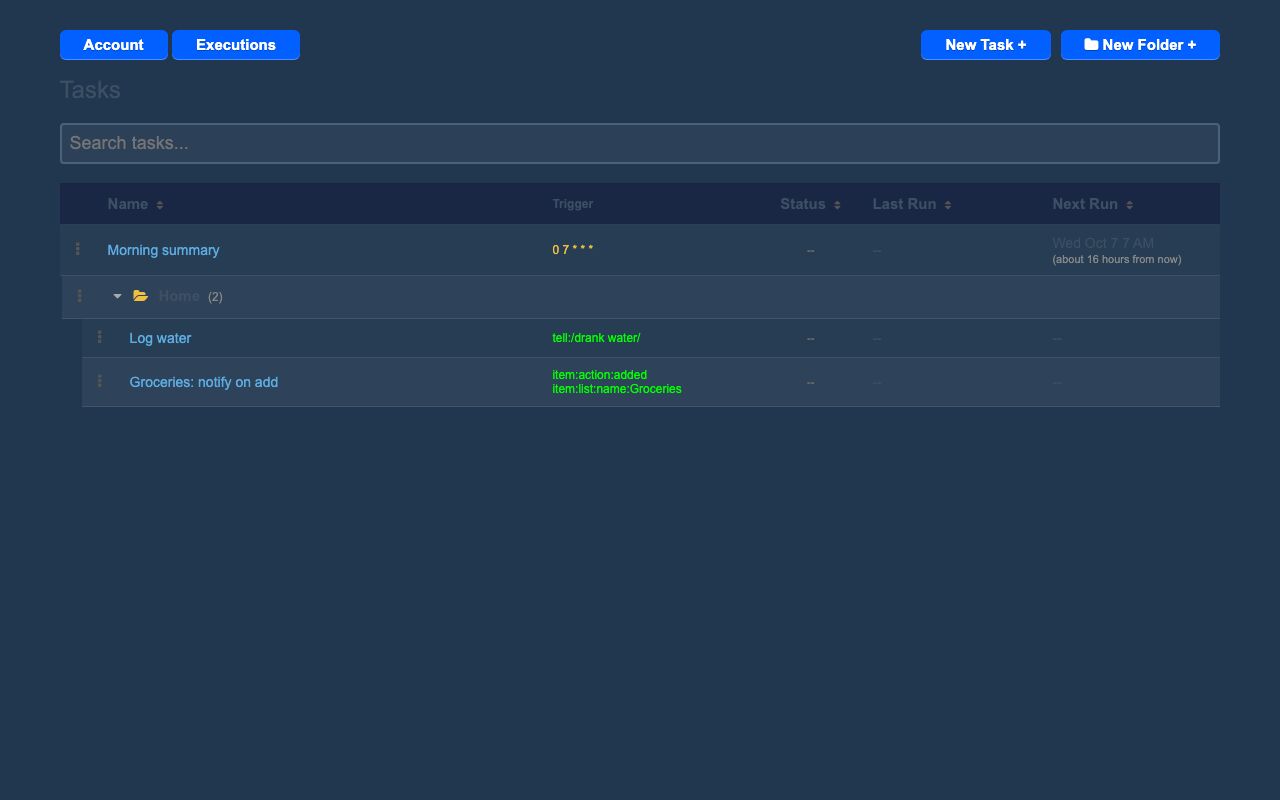
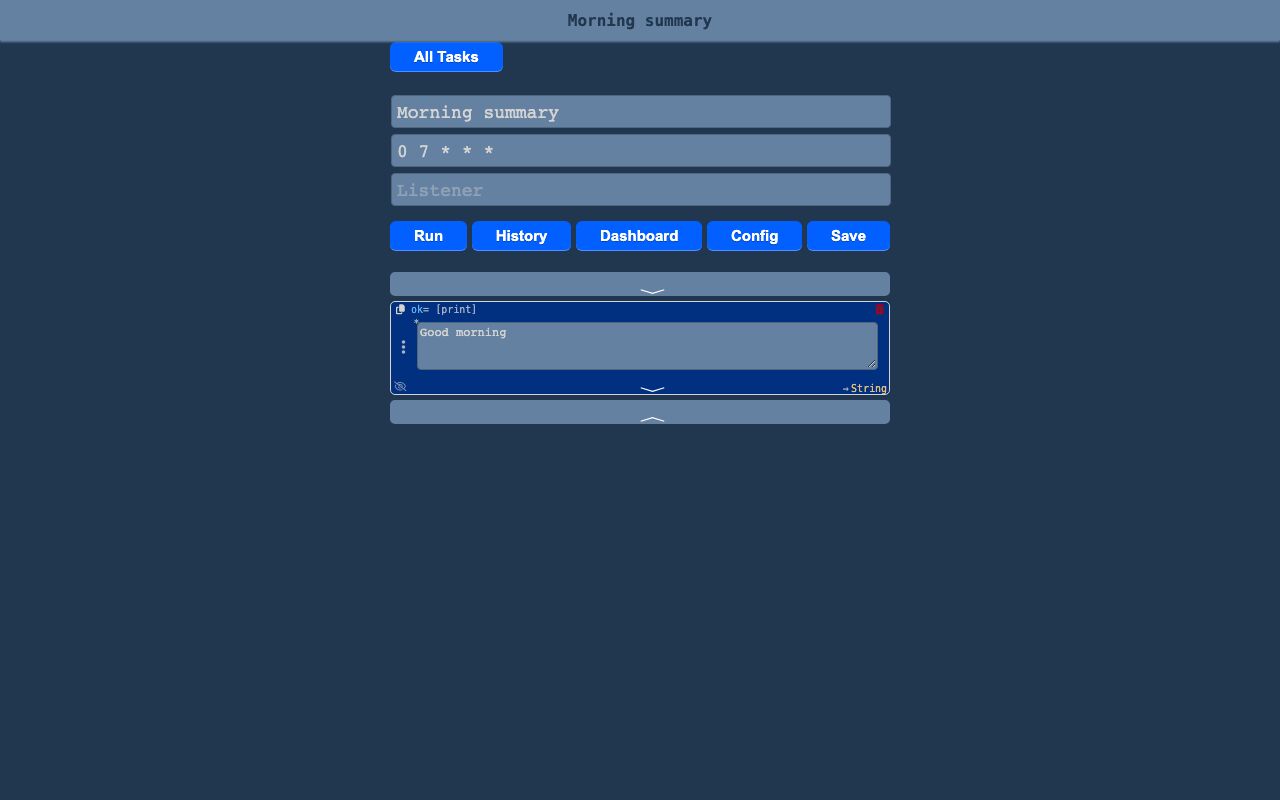
Jil is a custom automation language and editor built into the site. It lets tasks run on schedules, from app events, from webhooks, or on demand.
Jil connects actions across the site so changes in one place can trigger work in another. It is used for workflows that need to read, create, and respond to records in the app.
What it solves
Jil connects actions across the site so changes in one place can trigger work in another. It is used for workflows that need to read, create, and respond to records in the app.
It also gives a structured way to build automation without writing freeform code. Each line is chosen from a schema-driven set of blocks and can be rearranged, nested, and run from the editor.
Features
- Block editor Each statement is chosen from typed menus and can be dragged to reorder or nest.
- Inline editing Comments, keyboard navigation, and undo or redo are available in the editor.
- Live run view The current line highlights while the task runs, and output and errors stream in.
- Multiple triggers Tasks can start from schedules, events, webhooks, Jil-rendered pages, forms, or manual runs.
- Listener syntax Event listeners use a compact mini-language for matching app events.
- Built-in types The language includes strings, numbers, dates, hashes, arrays, control flow, and domain objects such as lists, chores, calendar items, events, contacts, email, SMS, push notifications, HTTP requests, websockets broadcasts, cache, GPT calls, OAuth, and secrets.
- Task functions Tasks can declare parameters and be called from other tasks.
- Organization tools Tasks can be grouped in nested folders, searched, sorted, archived, duplicated, and shared read-only.
- Execution history Each run keeps code, input, output, and replay data, with a dashboard for run volume over time.
- Assistant marking Tasks can be marked runnable by the site’s AI assistant with a plain-language description.
How to use it
- Open the Jil task list and choose a task or create a new one.
- In the editor, build each line by selecting statements and arranging them as needed.
- Add a trigger such as a schedule, listener, webhook, page, form, or manual input.
- Save the task and use the run control to test it.
- Watch the live run view for the active line, output, and any errors.
- Review execution history, replay past runs, or organize the task in folders.
How it works
- Jil uses a declarative schema that defines classes, methods, and arguments for the language and editor menus.
- The parser reads each line with a pattern that maps it to
Class.method(args)form and can recurse into content blocks. - The executor interprets tasks with scoped variables, loop controls, iteration guards, line-level progress, and error capture.
- An app-wide event bus matches triggered events to tasks and supports stop propagation.
- Scheduled tasks are checked every minute, and due work is queued for execution.