🔒 You must have an account to use this tool
· Sign in · Create an account
Interview Tracker
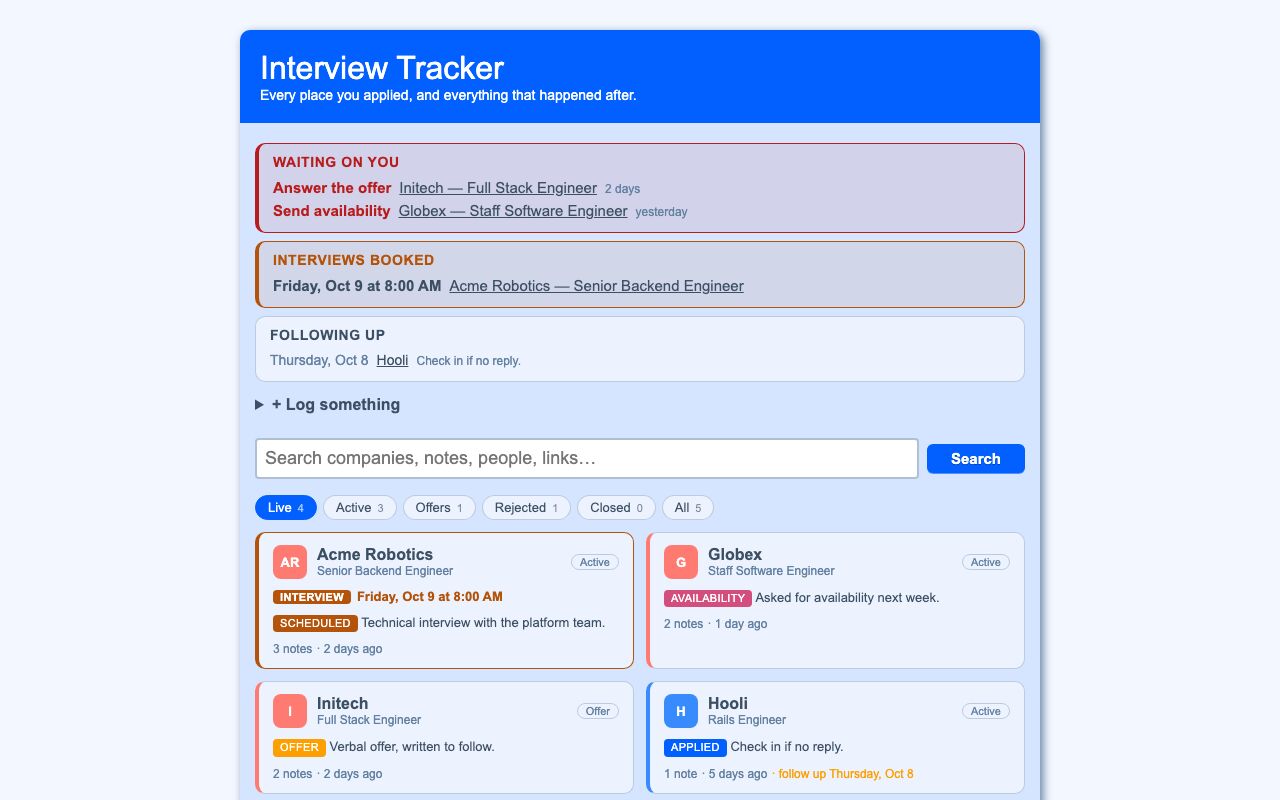
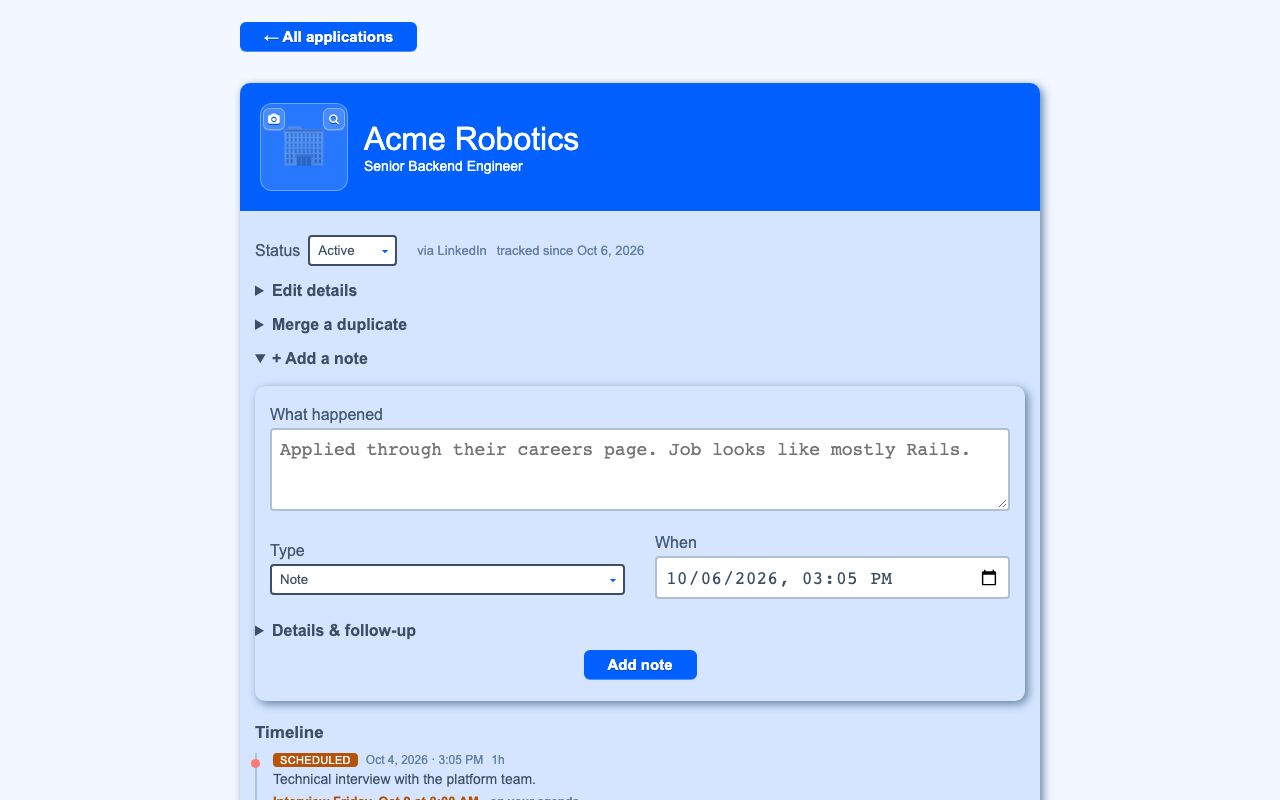
Interview Tracker is a personal job-search tracker for each company in a job search. It keeps an application card, a dated timeline of notes, and a board that highlights what needs attention next.
Job searches create scattered updates across applications, calls, interviews, offers, and follow-ups. Interview Tracker keeps those events in one place for each company and shows the next action that needs attention.
What it solves
Job searches create scattered updates across applications, calls, interviews, offers, and follow-ups. Interview Tracker keeps those events in one place for each company and shows the next action that needs attention.
It also reduces manual tracking by sorting cards by recent activity, surfacing booked interviews, and moving follow-up dates into the agenda.
Features
- Company cards Each company gets one card with role, status, color, logo or initials, job-posting link, and source.
- Quick capture Add a new company or choose an existing one, then optionally add a note in one step.
- Timeline notes Log dated events such as applied, recruiter call, scheduled, interview, offer, rejected, and withdrawn.
- Follow-up details Notes can include who you spoke to, call duration, a link, and a follow-up date.
- Auto status updates New offer, rejection, or withdrawal notes update the card status from the latest note.
- Next-step strips The board shows Waiting on you, Interviews booked, and Following up.
- Search and filters Search across company, role, contacts, tags, note text, and links, then narrow by status chips.
- Duplicate merge Merge duplicate company cards into one application.
- Logo picker Add a logo by file upload or image URL, then crop and zoom in the browser.
- Agenda sync Follow-up dates appear in the agenda as events or tasks and stay in sync when edited or deleted.
How to use it
- Open the main board.
- Add a company by selecting an existing one or typing a new one.
- Optionally add a note to log the latest update.
- Use the status chips and search field to find specific applications.
- Open a company card to review the timeline and details.
- Add follow-up dates, interview times, or other next steps as notes.
- Merge duplicate company cards if the same company appears more than once.
How it works
- Each company is stored as a job application with a timeline of notes.
- The latest note controls the application status for offer, rejection, and withdrawal.
- Search uses weighted ranking and fuzzy company matching over preloaded results.
- Follow-up notes create agenda items, and changes are kept in sync with broadcasts.
- The interface uses server-rendered pages with JavaScript enhancements and no-JS fallbacks.