Dashboards
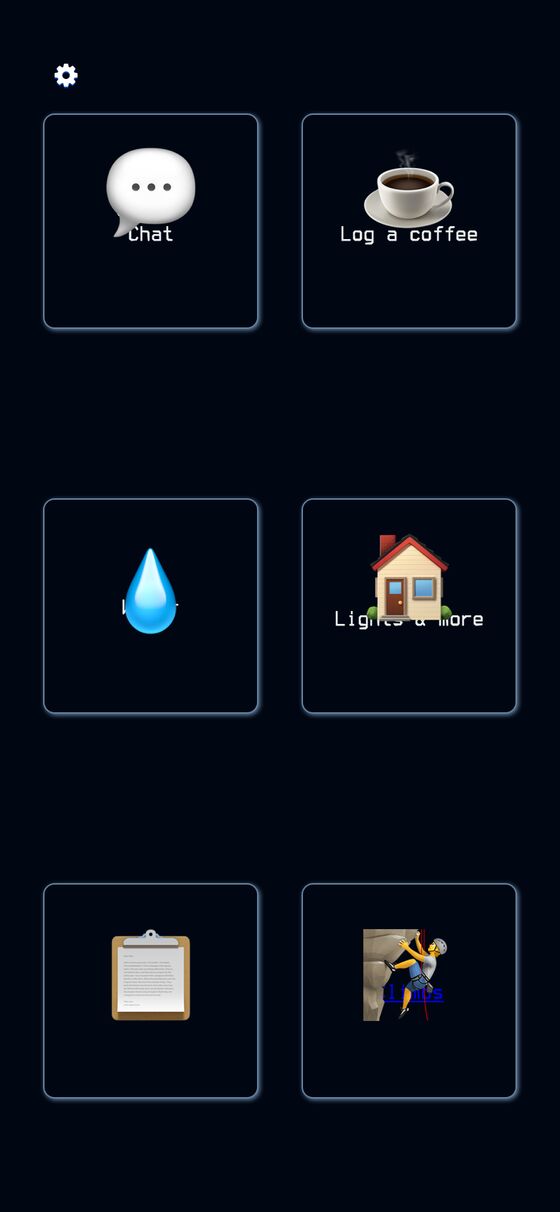
Dashboards is a mobile-friendly home screen made of large, tappable tiles that you arrange yourself. It can send commands to Jarvis, open pages, open sub-menus of buttons, start a chat with the assistant, or show live automation output.
Dashboards gives one place to reach common actions without moving through several parts of the app. It is useful for quick control, status views, and automations that need to update on the screen in real time.
What it solves
Dashboards gives one place to reach common actions without moving through several parts of the app. It is useful for quick control, status views, and automations that need to update on the screen in real time.
It also supports multiple dashboards, so different tile layouts can be kept separate. Widgets can be tied to task output and notifications so the dashboard can reflect automation state as it changes.
Features
- Tile grid A dashboard is a grid of big tiles with title and subtitle text.
- Command tiles Tapping a command tile sends text to Jarvis, and a question token can prompt for input first.
- Button groups A buttons tile opens a modal with its own grid of sub-buttons.
- Page tiles A page tile opens a URL in a new tab.
- Monitor tiles A monitor tile shows markdown-like output from a Jil monitor task and updates when that task runs.
- Chat tiles A Text Jarvis tile opens a chat modal for back-and-forth messaging with the assistant.
- Task binding Any widget can be linked to a task id so automations can push data or notifications into it.
- Edit modes The settings panel supports Add, Edit, Move, and Delete, and layout changes save automatically.
- Multiple dashboards Each user can have more than one dashboard.
- Home screen app It includes manifest and Apple touch icon support for installable home-screen use.
How to use it
- Open Dashboards on a phone or tablet.
- Add tiles for the actions, pages, chats, or live views you want.
- Use the settings panel to switch between Add, Edit, Move, and Delete.
- Drag tiles in Move mode to change the layout.
- Open a command tile to send a command to Jarvis, or open a buttons tile to reach more actions.
- Use a monitor tile or bound widget to view live output and task updates.
How it works
- The dashboard layout is stored as a single jsonb array on the user dashboard record.
- The client serializes each widget's data attributes and sends the full layout back when saving.
- New widgets are rendered on demand by the server and inserted into the page without a full reload.
- Real-time updates use ActionCable channels for commands, replies, and monitor task results.
- The page uses a reconnecting WebSocket approach and Web Push support for notifications and badge updates.