Climbs Tracker
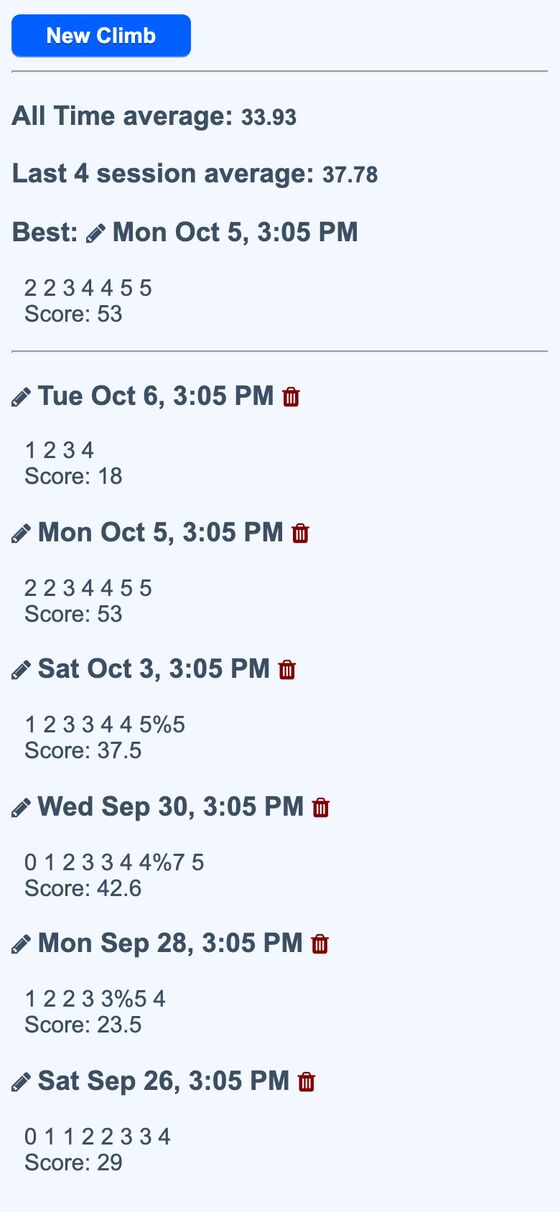
Climbs Tracker is a bouldering session logger. It records the grades of completed problems, scores the session, and shows recent and all-time comparisons.
It replaces manual session notes with a grade-by-grade log that can be entered quickly during a climb. The saved sessions show what was climbed and how the session compares with recent sessions, the all-time average, and the best day.
What it solves
It replaces manual session notes with a grade-by-grade log that can be entered quickly during a climb. The saved sessions show what was climbed and how the session compares with recent sessions, the all-time average, and the best day.
It also supports a one-tap watch-style endpoint for logging a climb without opening the app. That endpoint returns a plain-text summary that includes the latest grade, session score, climbs, and averages.
Features
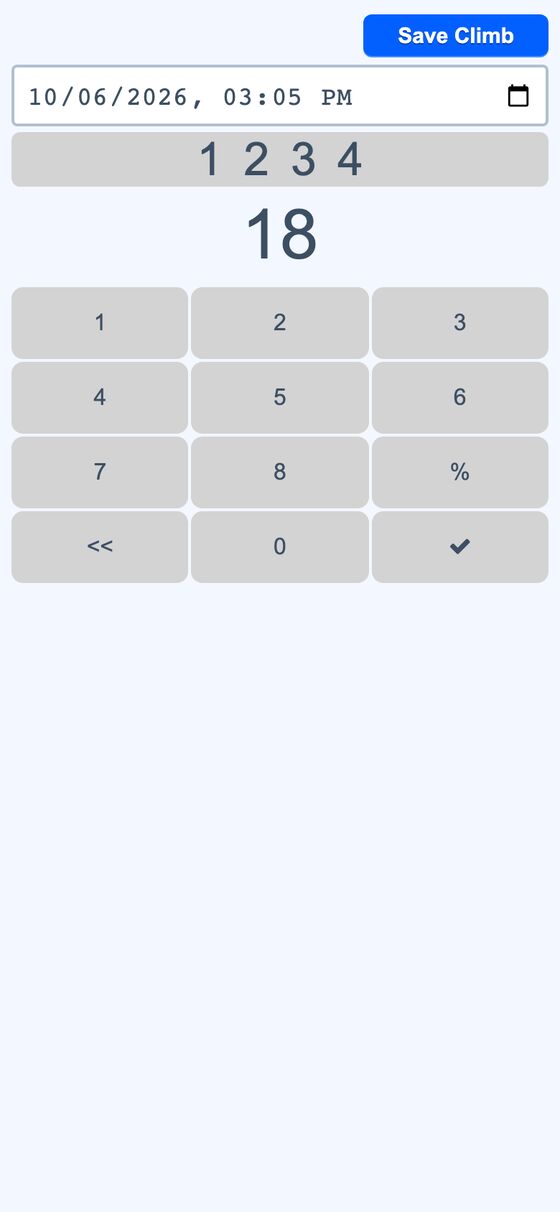
- Grade keypad Enter grades 0–8, with
%for partial completion, and see the session score update as entries are added. - Undo entry Use
<<to remove the last climb from the current session. - Save session Use the check mark to store the session after entry is complete.
- Session history View sessions newest first, with each session’s climbs and score.
- Edit and delete Change or remove any saved session.
- Session date and time Set when a session happened.
- Summary stats See the all-time average, last-4-sessions average, and best session.
- Weighted scoring Harder grades count more by using Fibonacci-based values for each climb.
- Watch logging Use the one-tap
PATCH /climbs/mark?v_index=Nendpoint to append a climb to today’s session. - Automation event Each logged climb triggers an event for other automations.
How to use it
- Open the current session or start a new one.
- Tap each climbed grade on the keypad as the session progresses.
- Use
%when a problem was only partially completed. - Use
<<to remove the last entry if needed. - Tap the check mark to save the session.
- Review the session list and summary stats on the history page.
- For watch or shortcut logging, send the one-tap mark request with the grade index.
How it works
- Per-user records All records are scoped to the current user.
- Session scoring Each climb is converted to a Fibonacci-based value, with optional partial credit, and totals are stored as integers to avoid float drift.
- Stored climbs Session climbs are kept as a JSON array, which supports aggregate checks and session summaries.
- Live client update The page mirrors server scoring in vanilla JavaScript and saves changes with a background PATCH request.