Chores
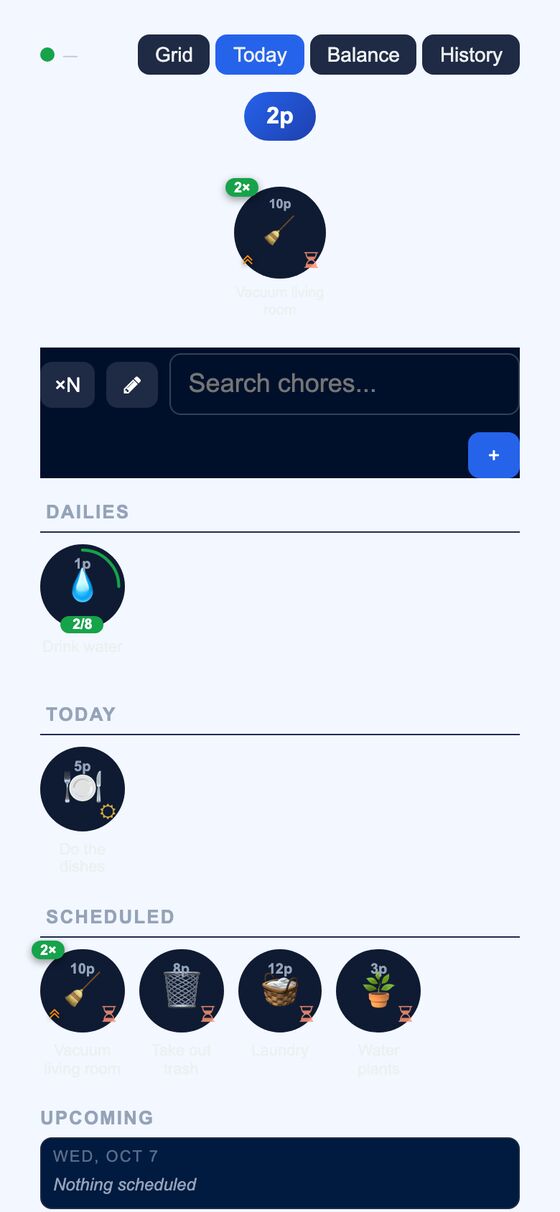
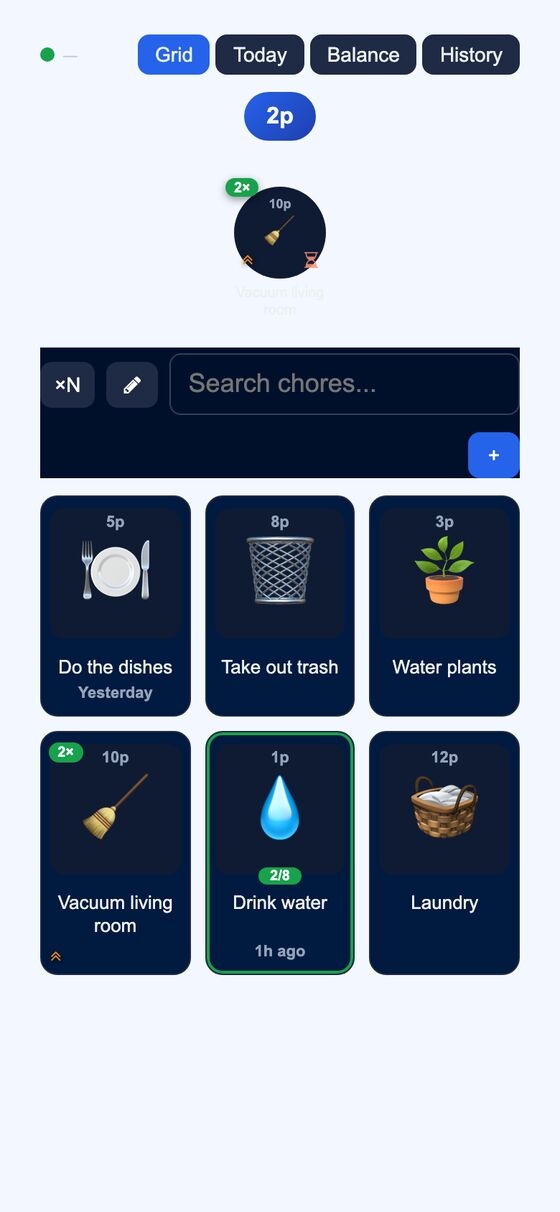
A household chore tracker that works as an installable phone app and keeps working offline. It shares one chore list for a household, so everyone can see what is due and who completed it.
Households need a shared way to track recurring chores, due dates, and progress without losing access when the app is offline. It keeps chore status, points, streaks, and goals in one place.
What it solves
Households need a shared way to track recurring chores, due dates, and progress without losing access when the app is offline. It keeps chore status, points, streaks, and goals in one place.
It also reduces duplicated work by showing the same chore list to all household members. Chores can be completed from the main views, and the results update the shared list, points, and history.
Features
- Grid view A searchable tile board shows chores and lets a user tap a card to complete it.
- Today view A checklist shows chores due today, overdue carryover, pinned Dailies, and an upcoming lookahead.
- Recurring schedules Chores can repeat never, daily, on weekdays, on selected weekly days, monthly, yearly, by custom interval, after a delay from the last completion, or after another chore.
- Cooldowns and counts Each chore can use a fixed cooldown or wait-until-tomorrow cooldown, and repeatable chores can target up to 99 completions per day.
- Priority and status Chores can be marked with priority levels, due now, skipped, archived, unarchived, or assigned to a member.
- Pebble rewards Completing chores earns pebbles that contribute to streaks, goals, withdrawals, and transfers between household members.
- Hot Picks Daily Hot Picks use weighted selection and can apply 2x or 5x multipliers.
- History tools The app keeps search and per-chore history, supports undoing completions, and can record completions for another household member or anonymously.
- Household sharing Household members share chore data, and the app supports member and manager roles.
- Notifications Transfer received, goal achieved, and chore assigned notifications can be turned off.
How to use it
- Open the main chore page to see the shared household list in Grid view or switch to Today view for chores due now.
- Tap a chore card or checklist item to complete it.
- Use the schedule, priority, cooldown, and assignment settings to manage when and how the chore appears.
- Review pebbles, streaks, goals, and history from the related chore and balance views.
- Use the household icon and member tools to manage the shared list and household display.
- If needed, complete a chore for another household member, undo a completion, or record an anonymous completion.
How it works
- It is built as an offline-first progressive web app with a service worker that caches app shells and assets.
- When offline, it queues POST activity and uses local data until changes can sync.
- The UI renders client-side from localStorage and sync deltas from the server, with a full resync when the chore-day cutoff passes.
- Updates use an optimistic client-side mutation queue with idempotent mutation IDs and per-item state reconciliation.
- Real-time updates are broadcast across devices and tabs, and chore completions trigger cooldown checks, hot-pick multipliers, streak updates, and goal checks.