Character Builder
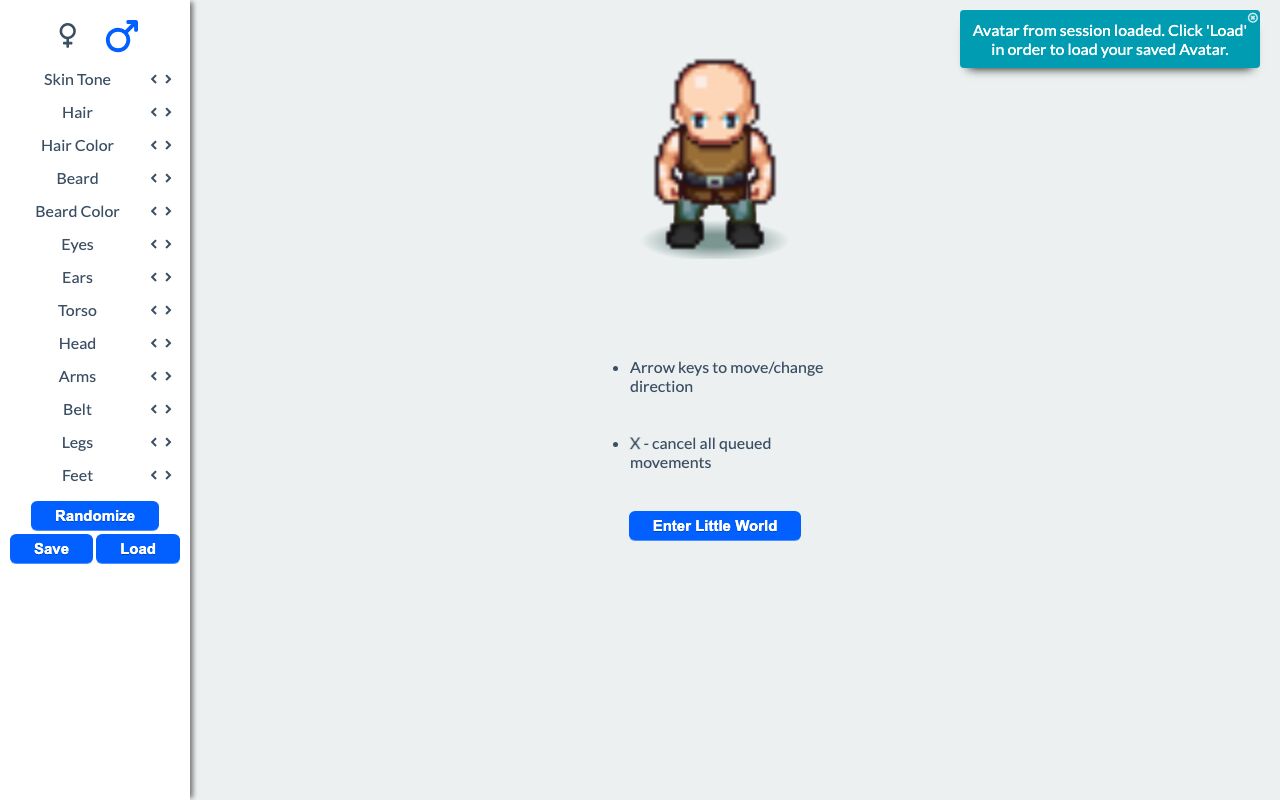
Character Builder is a dress-up tool for the Little World pixel-art avatar. It lets a player choose a body type, skin tone, clothing, armor, and accessories, then watch the character animate live.
It provides a way to create and preview an avatar outfit without leaving the builder. The current design stays in the browser session, and saved outfits can be copied to an account for later use.
What it solves
It provides a way to create and preview an avatar outfit without leaving the builder. The current design stays in the browser session, and saved outfits can be copied to an account for later use.
It also keeps outfit changes in sync with the game’s avatar format. The same character data used in the builder can be loaded back into the avatar system and used in Little World.
Features
- Body and skin selection Choose between two body types and then pick a skin tone.
- Layered clothing slots Cycle through hair, head, torso, legs, feet, belt, neck, ears, eyes, nose, beard, and other slots.
- Optional pieces Set optional slots to None when a layer is not needed.
- Randomize outfit Generate a full outfit with one action.
- Live animation preview Watch the character animate while editing the design.
- Keyboard animation controls Use arrow keys for movement and A/S/D/F/G for spell, thrust, slash, shoot, and die animations.
- Queued motion Actions queue in order, and X clears the queue.
- Session saving Changes are stored in the browser session automatically.
- Account sync Save and Load copy the design between the session avatar and the account avatar.
- Enter world button Send the finished character into Little World.
How to use it
- Choose a body type and skin tone.
- Use the arrows or the dropdown for each clothing slot to select hair, clothing, armor, and accessories.
- Set any optional slot to None if needed.
- Use Randomize to generate a complete outfit.
- Watch the live preview update as changes are made.
- If available, use Save or Load to copy the design between the session and the account avatar.
- Use Enter Little World to move the character into the shared world.
How it works
- Outfit data is normalized into valid pieces and invalid attributes are removed before use.
- Required clothing and other required attributes are filled in automatically when missing.
- Random outfit generation uses per-slot probabilities and a catalog of valid combinations.
- Each garment maps to a sprite sheet, and the character is rendered as stacked layers by placement.
- Animation is driven by CSS keyframes, while JavaScript queues actions and keeps timing aligned with the CSS.