Calculator
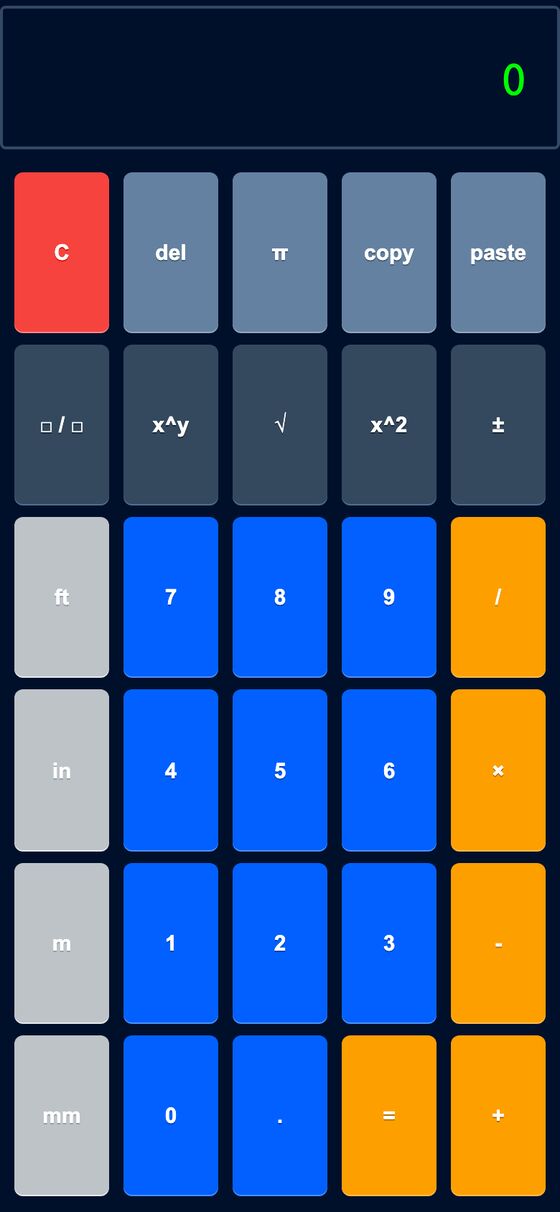
Calculator is a keypad calculator for workshop and DIY measurements. It accepts typed or tapped input and returns exact fractional results in feet-and-inches or meters-and-millimeters.
It handles measurement math without converting everything into long decimals. Inputs can be entered as mixed units, and the result is shown in the same kind of compound unit format.
What it solves
It handles measurement math without converting everything into long decimals. Inputs can be entered as mixed units, and the result is shown in the same kind of compound unit format.
It is useful for adding, subtracting, multiplying, dividing, and raising measurement values while keeping fractions exact. It also supports copying a result for reuse.
Features
- Keypad input Supports an on-screen keypad and keyboard entry for digits and operators.
- Measurement units Accepts ft, in, m, and mm keys, plus typed miles, cm, km, and common quote and word variants.
- Exact fractions Lets input whole numbers and fractional parts, then keeps results as simplified mixed fractions.
- Mixed-unit math Normalizes measurements to a common base before calculating, then formats results back into compound units.
- Power and sign keys Includes x^y, x², ±, and π for numeric entry.
- Editing keys Provides del and C for clearing the current entry and then the running value.
- Copy slot Shows the most recently copied value so it can be reused.
- Fraction support Includes a fraction entry key for whole number plus numerator and denominator input.
- Exact formatting Displays answers such as feet plus inches with fractional remainder, or meters plus millimeters.
How to use it
- Enter a measurement with the keypad or keyboard, such as feet-and-inches or millimeters.
- Use +, -, *, or / to choose the operation.
- Enter the next measurement or number.
- Press Enter or = to calculate the result.
- Use Backspace, del, or C to correct or clear entry as needed.
- Use the copy slot to reuse a displayed result.
How it works
- It parses free-text measurement input and extracts values in feet, inches, miles, mm, cm, m, and km.
- It converts measurements to a common base unit, using inches or millimeters and 25.4 mm per inch.
- It performs exact arithmetic with a custom fraction type instead of floating-point math.
- It formats totals back into compound measurements with simplified fractional remainders.
- The page keeps all state in the browser, with the Rails view providing the keypad markup.