Bowling Tracker
Bowling Tracker is a league bowling scorekeeping app used on a phone at the lane. It tracks leagues, team rosters, series, and frame-by-frame throws, then turns that data into scores and bowling stats.
League bowling scoring involves keeping track of frames, pin leaves, handicaps, team points, and bowler averages across a series. Bowling Tracker records each throw and uses that data to calculate standings, series results, and detailed bowler statistics.
What it solves
League bowling scoring involves keeping track of frames, pin leaves, handicaps, team points, and bowler averages across a series. Bowling Tracker records each throw and uses that data to calculate standings, series results, and detailed bowler statistics.
It also supports live entry while the game is in progress. The app can show the exact pin leave after a throw, update stats as the user enters data, and save each throw as it is recorded.
Features
- League setup Leagues store team name, team size, games per series, handicap base, handicap factor, and an absent score formula.
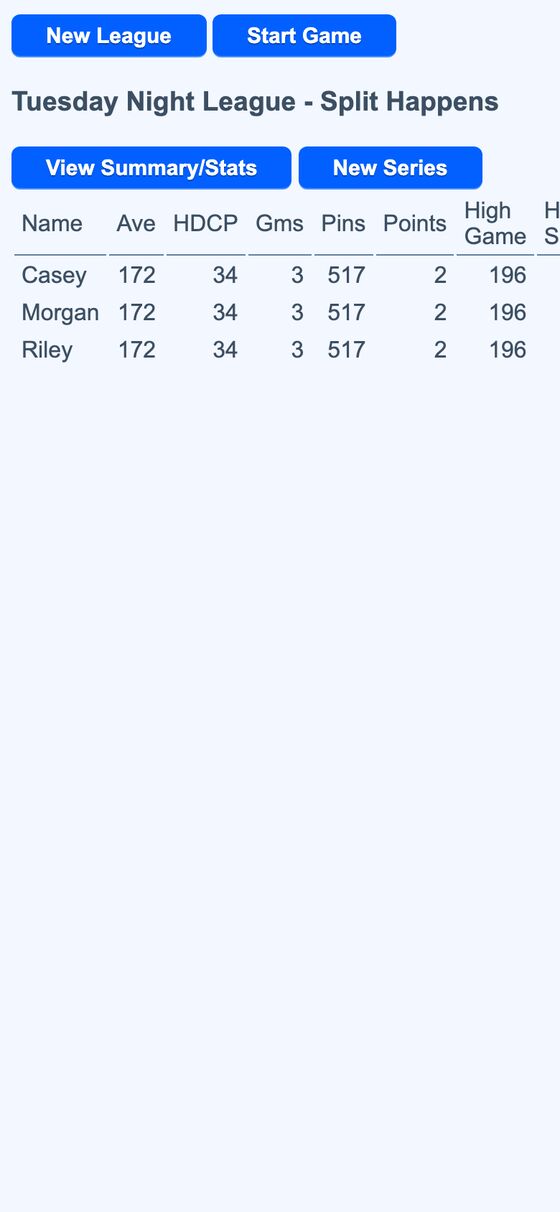
- Standings table League standings show average, handicap, games, pins, points, high game, and high series, with 300 and 900 highlighted.
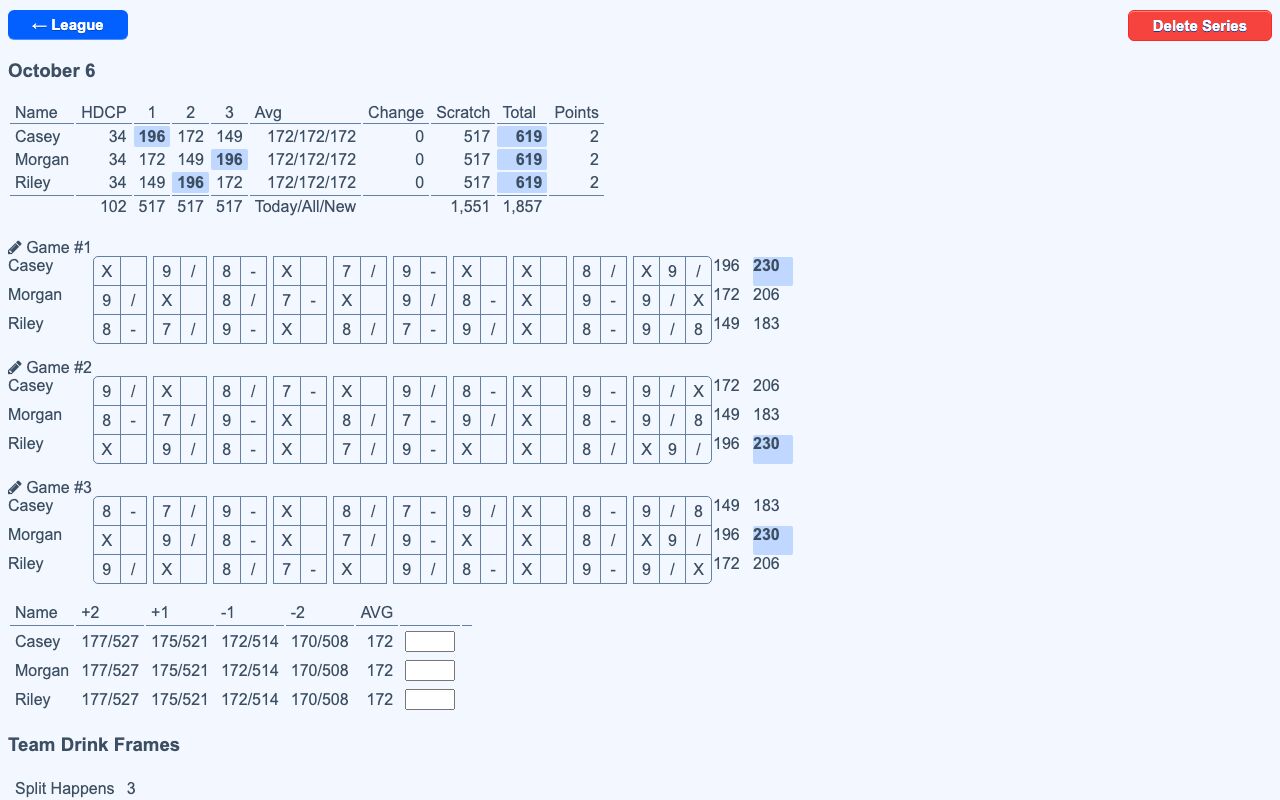
- Frame-by-frame entry The game screen shows a 10-frame score grid for the whole team.
- Pin input Throws can be entered with a numeric keypad or by tapping a 10-pin diagram to mark the pins that fell.
- Throw details The entry screen includes pocket and Brooklyn strike buttons, split marking, lane number, substitute bowlers, and absent bowlers.
- Live leave stats While entering a throw in pin mode, it shows the bowler’s historical conversion rate for the exact leave.
- Team scoring It calculates per-game winner, series-total winner, ties, and a card-game bonus point.
- Series summaries It shows each game’s frames and a stats page with strike rate, spare conversions, ten-pin conversions, strike point split, closed games, and more.
- Live source import If configured for a league, throws can be pulled in from the alley scoring system.
- Autosave It saves after each throw and warns before leaving with unsaved changes.
How to use it
- Create or open a league and enter the league settings, including team details and handicap values.
- Add the bowlers and their positions on the team.
- Start a series and choose the game entry screen.
- Enter each throw with the keypad or pin diagram, and mark strikes, splits, substitutes, or absent bowlers as needed.
- Continue through the frames until the game is complete.
- Review the series summary, standings, and bowler stats after scoring is finished.
How it works
- It stores league, bowler, series, game, and frame data with pin-level throw results.
- Each frame keeps the throw count and the exact pins remaining after each throw.
- Scoring and notation are derived from the stored frame data.
- The app recalculates averages and handicaps when earlier series are edited.
- The game screen saves each throw incrementally and can cancel an in-flight save when a newer one starts.