Agenda
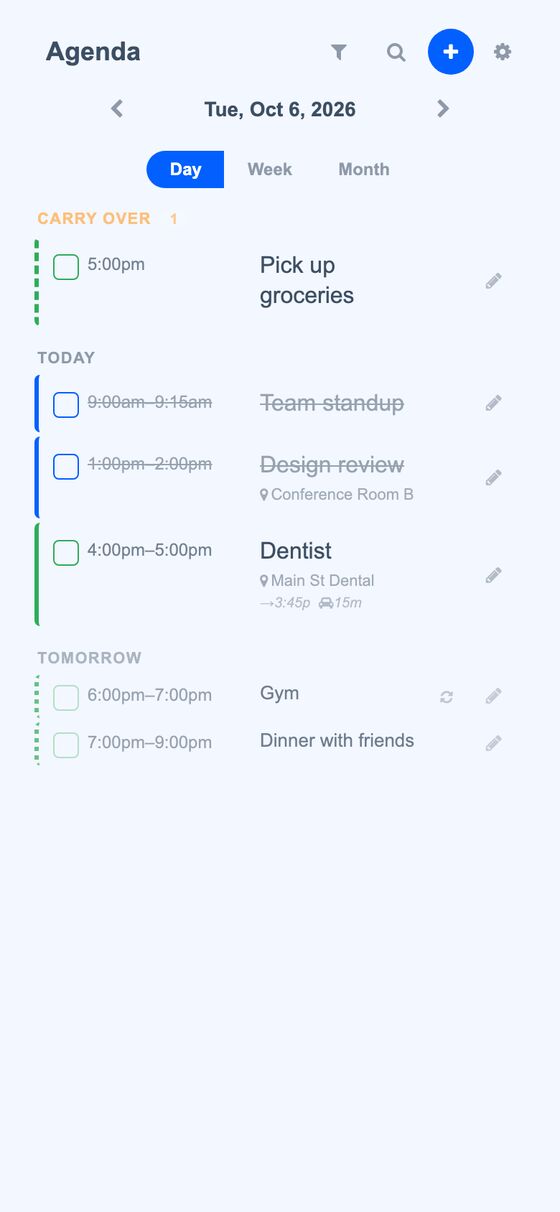
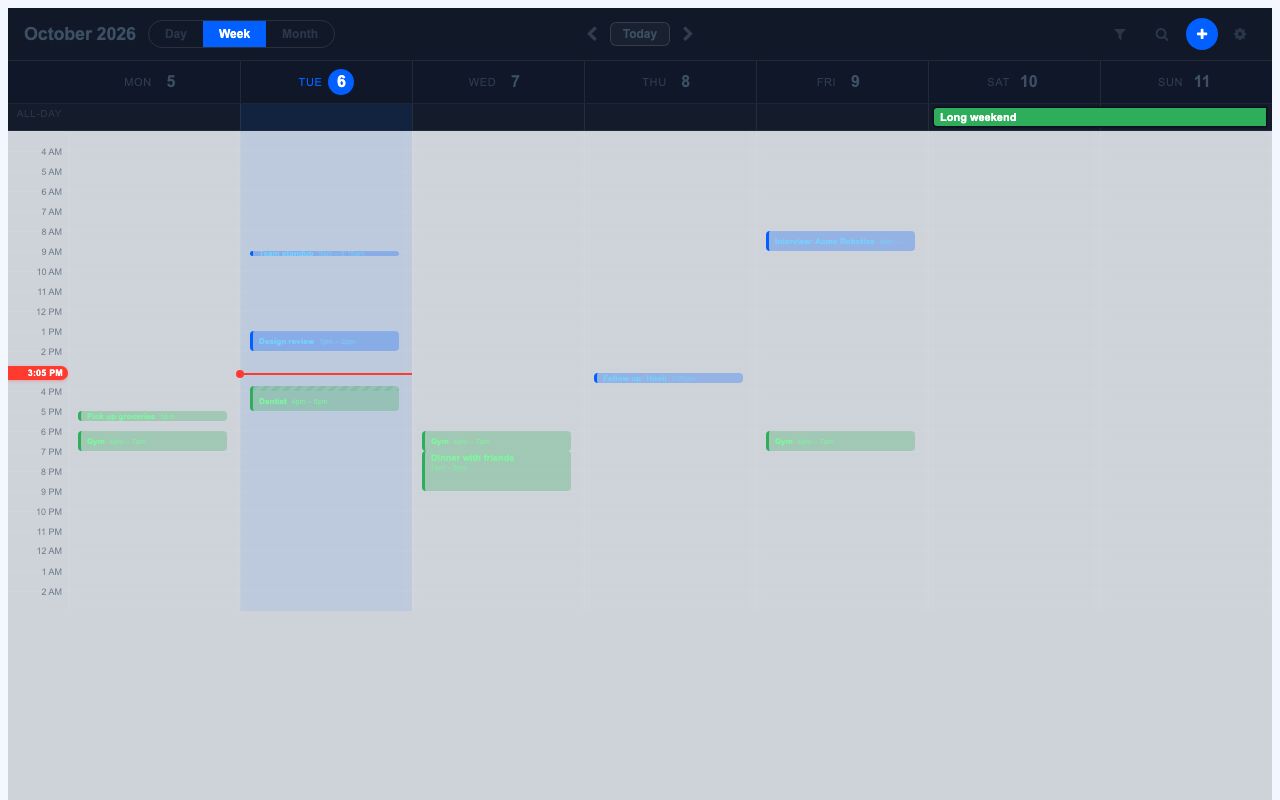
Agenda is a calendar app that works as a phone-installed web app and keeps functioning without a signal. It shows day, week, and month views across color-coded agendas, can sync with Google Calendar, and can use event times to run automations.
Agenda brings tasks, events, recurring schedules, and calendar sharing into one app. It is designed to keep usable data available offline, then sync changes when connection returns.
What it solves
Agenda brings tasks, events, recurring schedules, and calendar sharing into one app. It is designed to keep usable data available offline, then sync changes when connection returns.
It also reduces manual scheduling work by supporting quick add entry, travel-time estimates between events, and triggers that fire automations when an item is due.
Features
- Day, week, and month views It shows the same agenda data in day list, week list, month grid, and week time grid layouts.
- Tasks, events, and triggers It supports checkable tasks, timed events, and trigger items that can run automations when due.
- Recurring schedules It handles daily, weekly, and monthly-style recurrence with intervals, weekdays, month days, nth weekday rules, and end limits.
- Single-occurrence editing It lets changes apply to one occurrence or to the whole recurring series.
- Quick Add parsing It accepts natural-language entries such as relative times, dates, and durations.
- Search and filters It searches items and can hide agendas, completed items, tentative items, or matching names.
- Multiple agendas It supports more than one agenda and uses colors to distinguish them.
- Sharing roles It allows sharing with viewer, editor, or owner permissions.
- Google Calendar sync It can connect to Google Calendar, sync changes in both directions, and receive push-based updates.
- Due-time notifications It can send push notifications when tasks or events come due, with settings per agenda and item type.
How to use it
- Open Agenda and wait for the store to load the initial data.
- Use the day, week, month, or week grid view to review scheduled items.
- Add items with Quick Add or by creating tasks, events, triggers, or recurring schedules.
- Edit a single occurrence or the full recurring series when changing a repeated item.
- Organize items into agendas and assign colors or sharing permissions as needed.
- Connect Google Calendar if calendar sync is needed.
- Let the app sync changes and show pending edits when it is offline.
How it works
- It uses an offline-first PWA design with a service worker, cache versioning, and shell warming.
- The UI loads as empty HTML shells, then fills from bootstrap data, local storage, delta sync, and history backfill.
- Edits are queued locally first, then replayed in order with idempotent mutation handling and retry rules.
- Recurrence rules are expanded in the browser so repeated items can appear without a server round trip.
- Changes are broadcast in real time, and Google Calendar sync uses OAuth, incremental pulls, push watch channels, and write-back updates.